The shortest distance between idea and production is zero.

Lowkey deploys a fullstack agent into your AWS account to help ship

$ curl -sfL install.lowkey.run | bash

Works in bash, zsh, and AWS CloudShell. Requires AWS CLI + admin access.

โšก Builds real infra, not toys ๐Ÿ“ก Telegram ยท Discord ยท Signal ๐Ÿง  Claude Opus powered ๐Ÿ”’ Your AWS account, your control
Lowkey Agent Demo โ€” Full Walkthrough
Roy: "Build me a landing page with auth, deploy it on CloudFront"
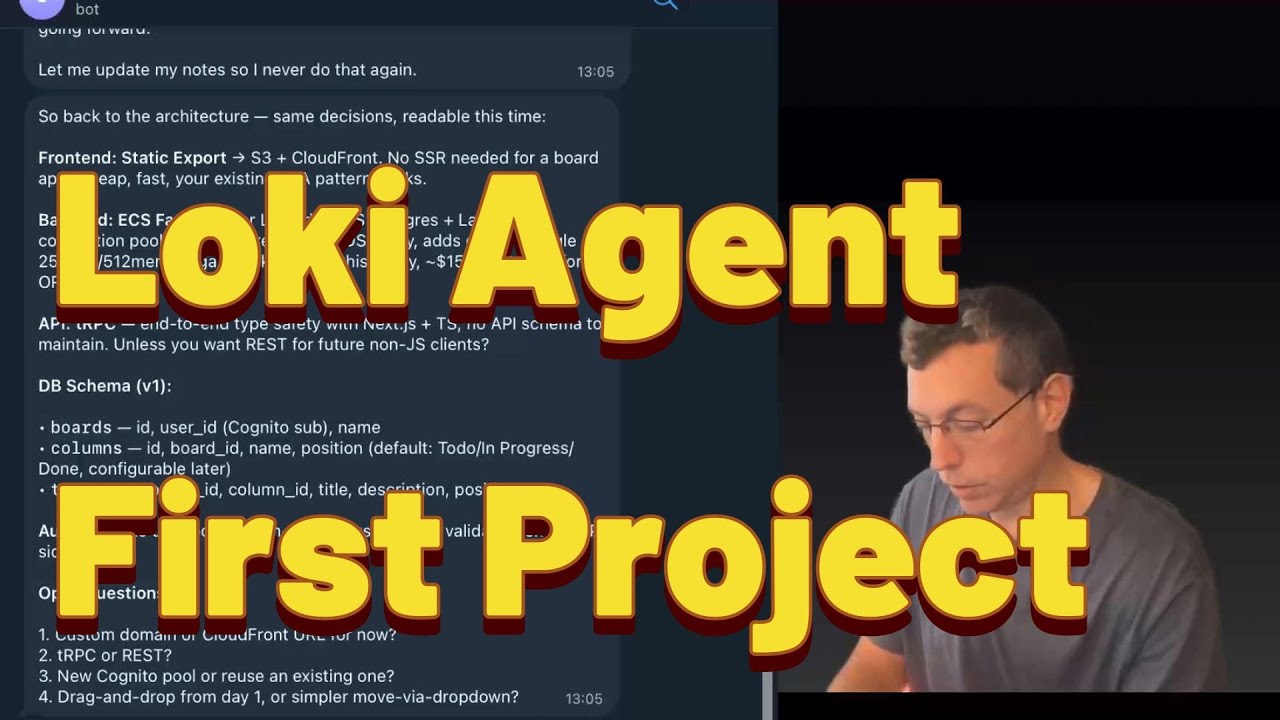
๐Ÿบ On it. Creating Cognito pool, S3 bucket, CloudFront distribution...
โœ… Live at https://yourapp.cloudfront.net โ€” Cognito login enabled.
Roy: "Now add a REST API with DynamoDB backend"
๐Ÿบ Lambda + API Gateway + DynamoDB table deployed. Terraform committed to repo.
๐Ÿ“Š Full CI/CD pipeline running. You can graduate this to production anytime.

Code is just the beginning.

Most AI assistants stop at generating code. Lowkey writes it, deploys it, monitors it, and fixes it when things break โ€” all inside your AWS account.

๐Ÿ—๏ธ

Fullstack Builder

Builds real applications โ€” frontend, backend, databases, auth. Not mockups. Production-grade infra on real AWS services.

๐Ÿš€

Deploy & CI/CD

Generates Terraform, builds CI/CD pipelines, pushes to ECR, updates ECS services. Deploys in minutes, not days.

๐Ÿ›

Debug & Fix

Pipeline fails at 3am? Lowkey reads the logs, finds the root cause, pushes the fix. You wake up to a green build.

๐Ÿ“ก

Monitor & Alert

CloudWatch alarms, Security Hub findings, cost anomalies. Heartbeat checks every 30 minutes. Alerts you on what matters.

๐Ÿ’ฐ

Optimize Costs

Daily cost briefings, idle resource detection, right-sizing recommendations. Auto-shuts down dev instances when idle.

๐Ÿ”’

Security Posture

Enables GuardDuty, Inspector, Access Analyzer. Daily security digests. Triages findings by severity so you can focus.

10โ€“100ร—
faster iteration on prototypes
24/7
monitoring & auto-remediation
~$30
/month to run (t4g.medium)

Lowkey auto-fixes a pipeline failure.

A CodePipeline build fails. Lowkey reads the logs, finds the issue, fixes it, and pushes โ€” before you even open the console.

Lowkey โ€” Live Session
buildspec.yml
Phase: BUILD
- cd frontend && npm run build
+ cd $CODEBUILD_SRC_DIR/frontend && npm run build
Phase: POST_BUILD
- aws s3 sync dist/ s3://bucket/
+ aws s3 sync $CODEBUILD_SRC_DIR/frontend/dist/ s3://bucket/
โœ“ Fix pushed to main
โœ“ Pipeline re-triggered
๐Ÿบ Lowkey
Pipeline frontend-deploy failed at BUILD phase.
Root cause: `cd` doesn't persist in CodeBuild โ””โ”€ Fix: use $CODEBUILD_SRC_DIR paths
Fixed both phases. Pushed a7f3c2d. Pipeline is green. โœ…
โšก Auto-fixed ยท 47 seconds

Built for teams that move fast.

Lowkey is purpose-built for teams that need to iterate quickly without a full DevOps hire.

๐Ÿš€ Small Founding Teams

You're 2-3 people building a product. You need real infra โ€” auth, APIs, databases, CI/CD โ€” but you can't afford to spend weeks on DevOps. Tell Lowkey what you need, and it builds it in your AWS account. Iterate at the speed of thought.

๐Ÿข POC Teams in Large Companies

Your enterprise has a sandbox AWS account and a mandate to prove product-market fit. Lowkey lets you iterate on prototypes 10-100ร— faster. Once you like the result, graduate the Terraform and CI/CD pipelines to your production accounts.

๐Ÿง‘โ€๐Ÿ’ป Solo Builders

You're a developer with AWS access and ideas. Lowkey gives you a 24/7 DevOps partner that never sleeps. Build real SaaS products โ€” not toy apps โ€” with production-grade infrastructure from day one.

๐ŸŽ“ The "Graduate" Workflow

Build fast in a sandbox account with Lowkey. Review the generated Terraform, CI/CD pipelines, and application code. When you're happy, run the same pipelines in your production account. No productization phase needed.

Three steps. Full AWS power.

01

Deploy Lowkey to a sandbox AWS account

Spin up a t4g.medium EC2 instance (~$30/month). Install the OpenClaw runtime. Connect your Telegram or Discord. Lowkey bootstraps security, monitoring, and cost tracking in the first conversation.

02

Tell it what to build

Send a message from your phone: "Build a React app with Cognito auth, DynamoDB backend, and deploy on CloudFront." Lowkey writes the code, generates Terraform, sets up CI/CD, and deploys. You review and iterate.

03

Graduate to production

Once you like the result, take the generated Terraform modules and CI/CD pipelines and run them in your production AWS account. The code is yours. No lock-in. No productization phase if you got it right in the sandbox.

Use a sandbox. Stay in control.

Lowkey has real access to your AWS account. That's what makes it powerful โ€” and why you should be intentional about how you use it.

โš ๏ธ Recommended: Run Lowkey in a dedicated sandbox AWS account.
Lowkey can create, modify, and delete AWS resources. It's incredibly productive โ€” but it can also make mistakes. Keep it in a sandbox where experiments are safe. Monitor your costs. Don't expose it to internal company systems or sensitive production data without careful review.
โœ… The reward: 10-100ร— faster iteration.
Teams using Lowkey in sandbox accounts report dramatically faster prototyping cycles. Build a complete SaaS backend in an afternoon. Iterate on architecture until it's right. Then graduate the infra to production with confidence โ€” the Terraform, pipelines, and deployment configs are all generated and tested.
๐ŸŽ“ Graduating to production:
Lowkey generates production-ready Terraform modules and CI/CD pipelines. When your prototype works, run the same infrastructure code in a production AWS account after careful review. No rewrite needed. The sandbox is your staging ground โ€” production is just a `terraform apply` away.

Build at the speed of thought.
Deploy with the power of AWS.

Set up a sandbox account. Install Lowkey. Start building from Telegram. Your 24/7 fullstack builder is one message away.

๐Ÿบ Get Started โญ Star on GitHub Read the Docs